


Optimize Your Spare Parts Inventory Management with Our CMMS
No more stockouts and overstocking! Manage your spare parts inventory with precision, from the office or the field, thanks to our CMMS software.











Why Choose Our CMMS for Your Spare Parts Inventory Management?
Not too much, not too little: just the right level of parts to intervene without delay and without waste. Your maintenance teams gain peace of mind, and so do your finances.
Cost Control and Tied-Up Capital Management
Adjust your stock levels precisely and free up the tied-up capital in your warehouses. Eliminate overstocking and urgent purchases, without compromising your intervention capacity.
Parts Availability at the Right Time
The right parts are available in a timely manner for your interventions, ensuring effective preventive maintenance and longer-lasting equipment.
Stock Movement Traceability
Precisely visualize stock movements (in/out), locations, and the complete history of each part.
Anticipating Parts Needs
Anticipate your needs with a clear view of consumptions and intervention histories. Avoid emergencies and optimize the allocation of technicians and budgets.
How Does Inventory Management Work in Our CMMS?


Automatic Spare Parts Reordering Based on Your Thresholds
Define minimum and reorder thresholds for each item. AQ Manager automatically generates order proposals, taking into account supplier conditions: price, lead times, costs, and references.
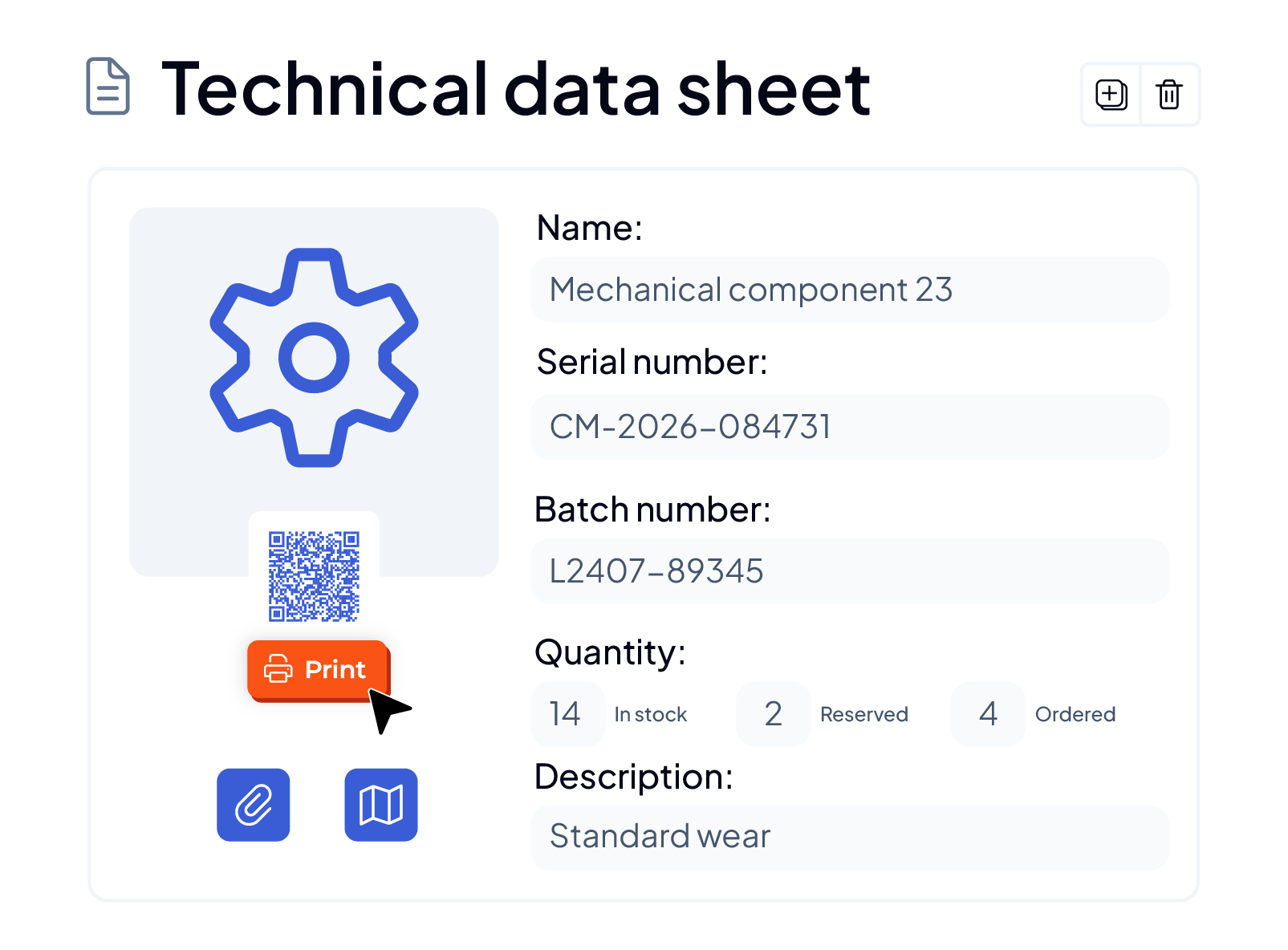
Parts References and Technical Data Sheets
For each of your parts, define detailed characteristics, including serial or batch numbers, and associate documents, plans, and photos using our document management tool.

Multi-Site Stock and Real-Time Location
Attach each part to a specific warehouse and location. Across your different sites, consult the stock of all your entities and initiate a transfer with a single click as soon as a part is available elsewhere.
Spare Parts Inventory Management from the Mobile Application
With a smartphone or tablet in hand, scan barcodes and QR codes to instantly record ins, outs, or inventories. Place parts orders directly from the mobile application.

CMMS Interface with Your ERP and Purchasing Tools
Our CMMS tool interfaces with your existing software, ERP, accounting system, and purchasing tool, via an API interface to avoid duplicate entries and ensure fluid data circulation between your maintenance, purchasing, and finance teams.
Discover all the features of our CMMS to optimize your maintenance


Schedule a Demo Now!

Need more information?
