


Data security, user rights, and Single Sign-On (SSO) in your CMMS
Strengthen the security of your accounts while simplifying user administration. Create an effective barrier and secure your most sensitive data.









Why choose our CMMS to secure your access and data?
Your maintenance data is sensitive. AQ Manager gives you the tools to protect it.
Productivity and Ease of Use
No more memorizing a multitude of passwords! A single secure login gives you access to all CMMS tools.
Enhanced Data Security
Apply an additional layer of security through Single Sign-On, password complexity rules, and automatic account lockout in the event of fraudulent access attempts.
Refined User Rights Management
By limiting access to only the necessary information based on the profile, each user only sees what concerns them. This prevents handling errors and protects sensitive data.
Simplified Management for the IT Department
Your IT department has all the necessary elements to meet GDPR and ISO requirements or internal security audits.



They chose AQ Manager CMMS




How does security and access management work in our CMMS?


User Rights Management
Define access rights by screen (view, add, edit, and delete), filter data by user or profile, control report editing and access to statistical modules. Then assign your users to the relevant groups; they automatically inherit the associated rights.
Centralized User Management
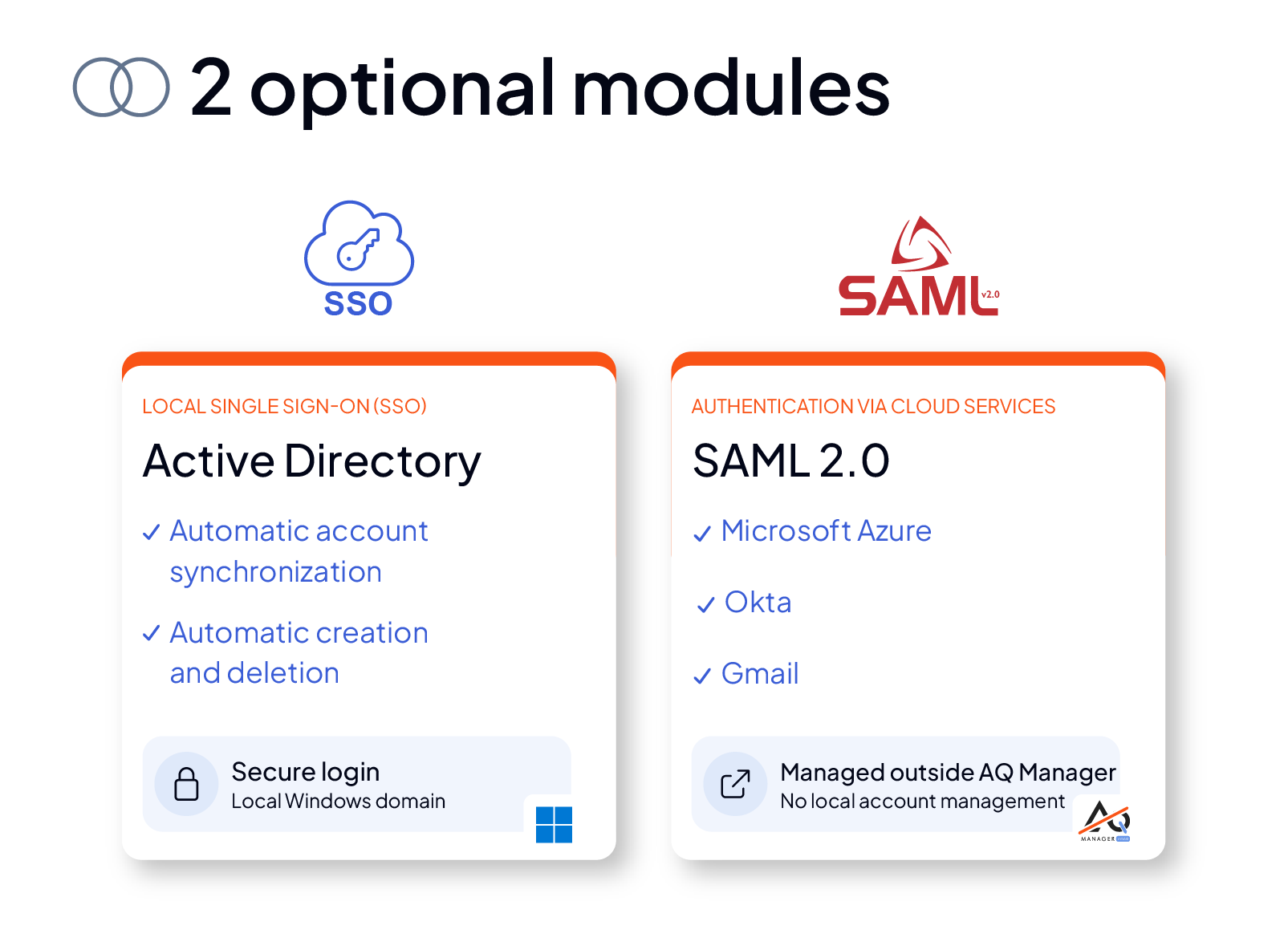
Benefit from two optional modules to simplify and secure user administration:
- Active Directory (SSO Single Sign-On): Ideal for local infrastructures, it centralizes user management within your Windows environment, with automatic synchronization of accounts and rights. It also allows for the automatic creation and deletion of your users through synchronization with your domain.
- SAML 2.0: Designed for cloud services, this module is compatible with providers such as Microsoft Azure, OKTA, or Gmail, without local management of multiple accounts.
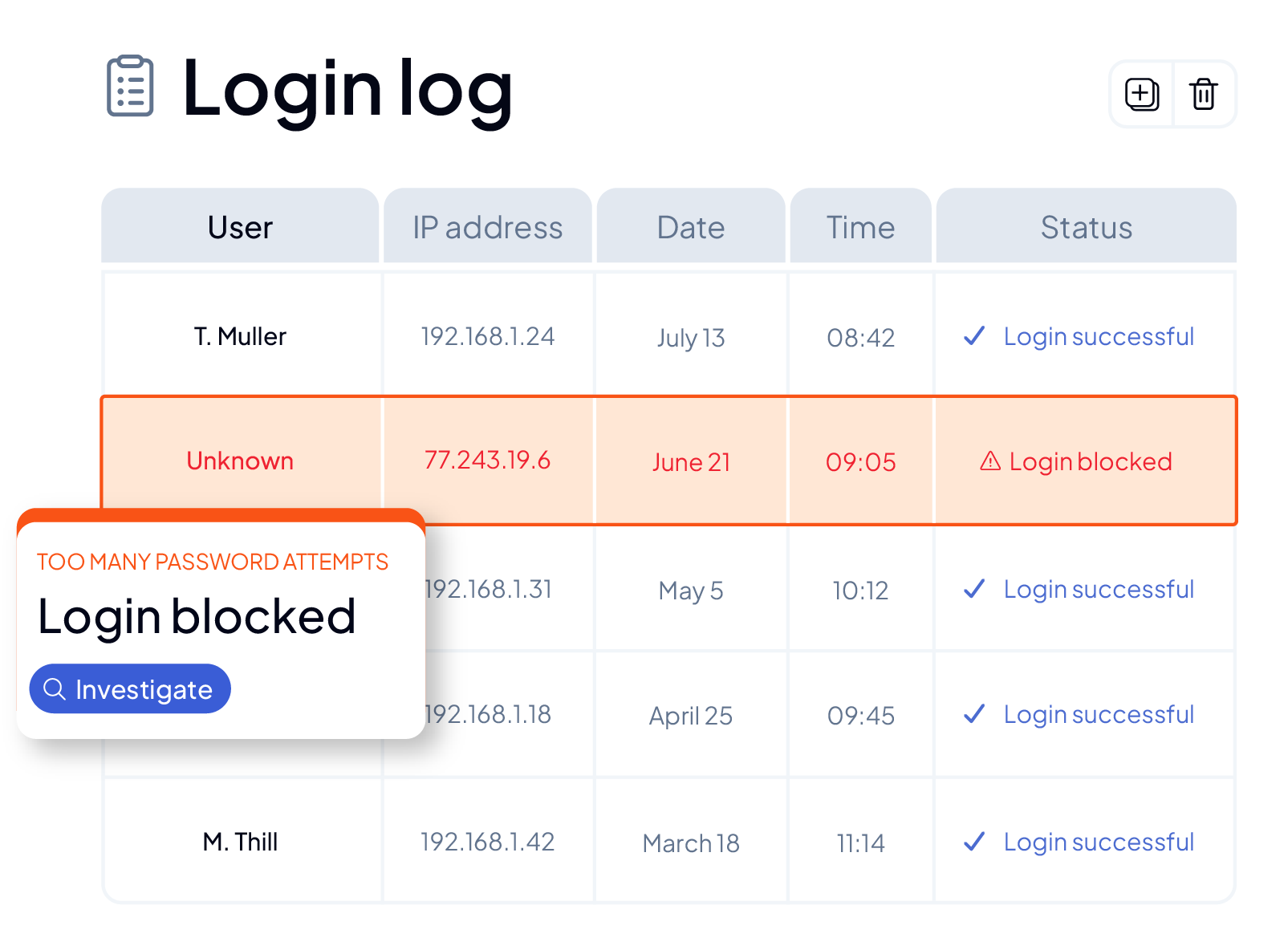
Connection Log and Access Security
The software includes a connection log for your users that records all their logins and, in the event of a fraudulent attempt, automatically blocks user accounts.
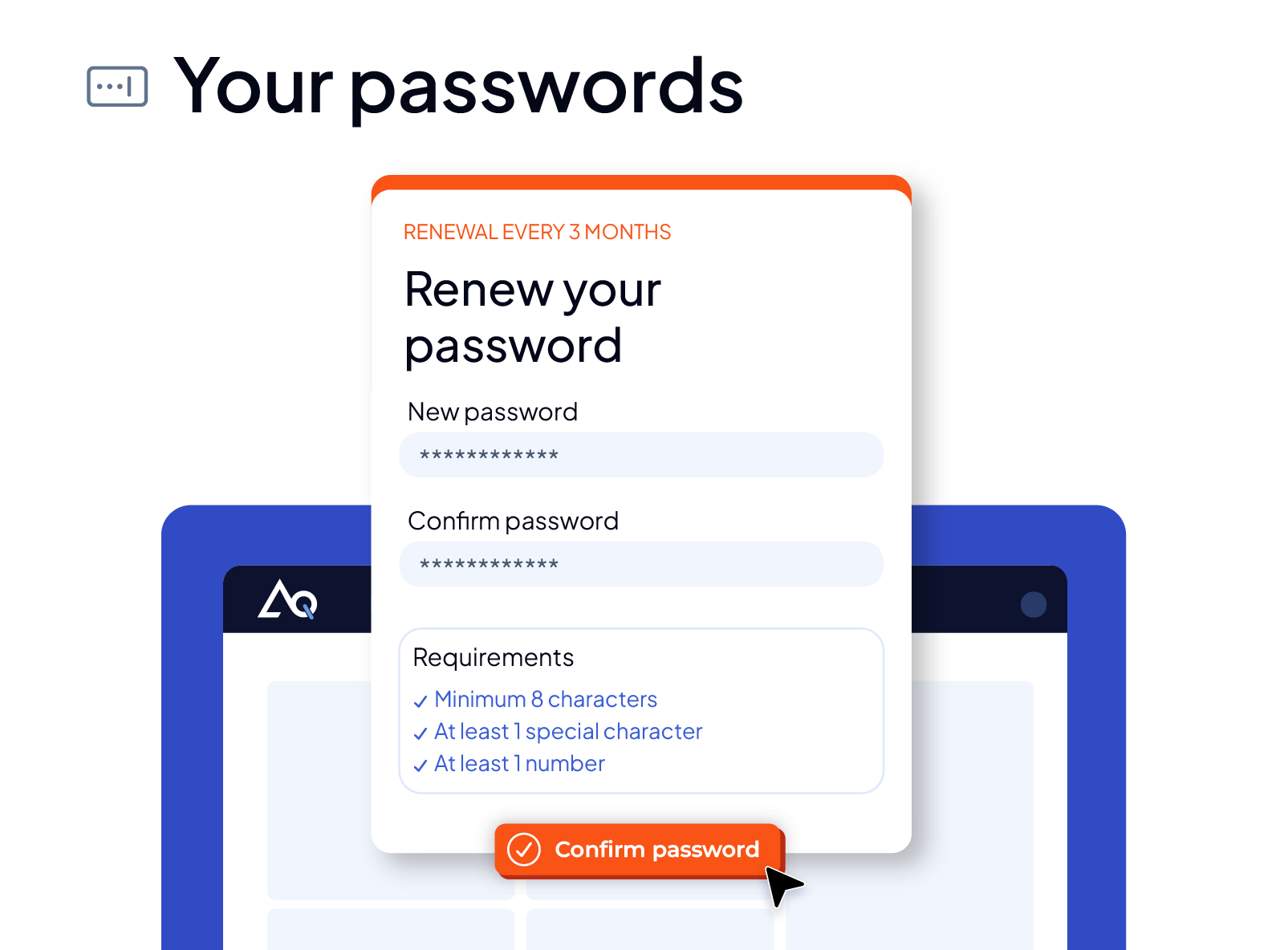
Password Management
Password complexity rules are also configurable, allowing for the imposition of mandatory renewal conditions (every X months, etc.).

Discover our dedicated webinar
The 6 key settings for an effective CMMS from the start
Discover all the features of our CMMS to optimize your maintenance
Need more information?

Frequently asked questions
A SaaS solution offers a level of security equivalent to, or even higher than, local hosting (on-site or “on-premise”) managed by yourself. Indeed, data is stored in secure datacenters. Patches and updates are applied automatically by us, and you benefit from automated, encrypted, and externalized backups, ensuring a rapid recovery in case of a problem.