
CMMS hierarchy: simplify search and access to information
AQ Manager is the only CMMS that cross-references four independent hierarchies on the same equipment. Locate, link, and group everything while keeping a single history per asset!












Why choose our CMMS to manage your hierarchies?
Create an unlimited number of levels, from sites down to sub-equipment, and adjust the level of detail to the real complexity of your organization.

Locate each asset in one click
Instantly find an asset and all its information by site, building, geographical area, or production line—even across multi-site fleets with several thousand assets. Whether via the web or mobile app!
Anticipate network impacts
View all equipment connected to the same electrical, pneumatic, hydraulic network, etc.
Optimize your spare parts inventory
The hierarchy is linked to the parts list at every level. Each intervention automatically updates stock.
Anticipate breakdowns, reduce downtime
A properly structured hierarchy also means breakdowns are geolocated to the exact asset concerned and preventive maintenance is better planned.
Analyze with dashboards
Compare performance by site, network, or asset family from an unlimited number of fully configurable dashboards. Identify your critical equipment, anticipate failures, and boost your maintenance with reliable data—by hierarchy, by period, or by technician.
How does the hierarchy work in AQ Manager CMMS?

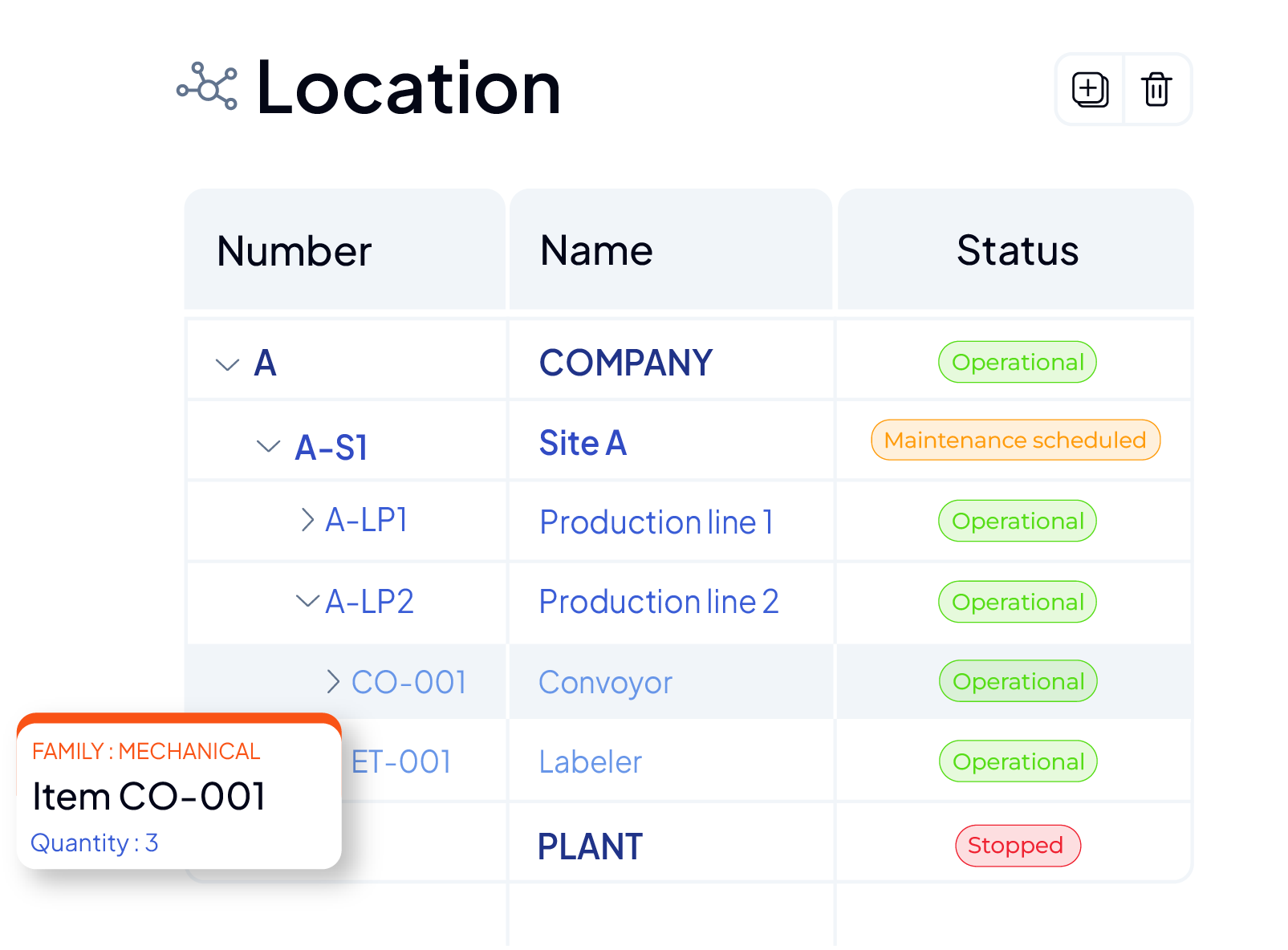
Location-based hierarchy
View and manage your assets according to their actual geographical location: country, site, building, floor, room, etc. Make intervention planning easier and better understand how each asset operates in its context.
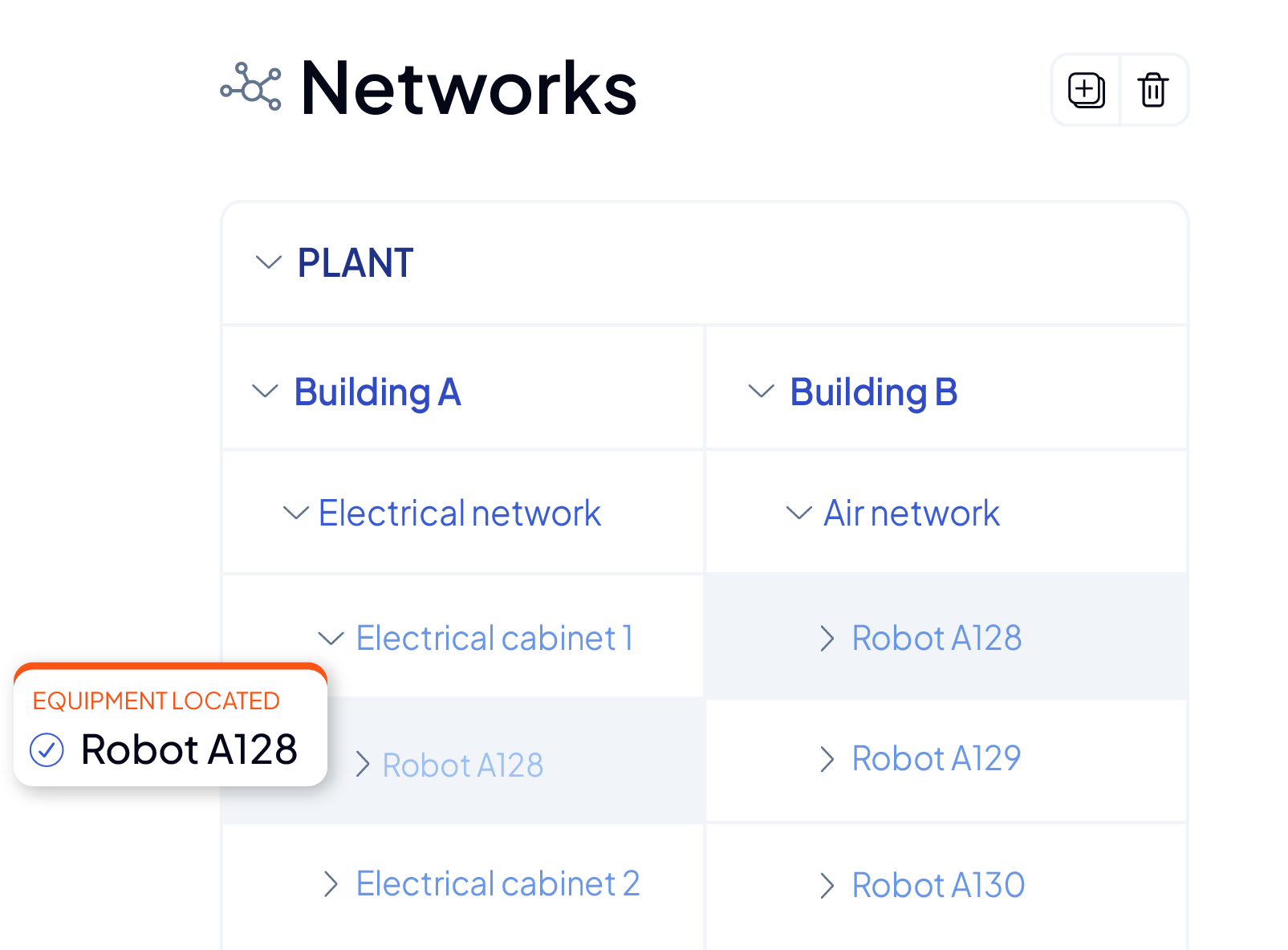
Network hierarchy
Define and view all networks each asset is connected to (electrical, hydraulic, pneumatic, etc.). Identify dependencies, anticipate impacts, and facilitate interventions across the entire network.
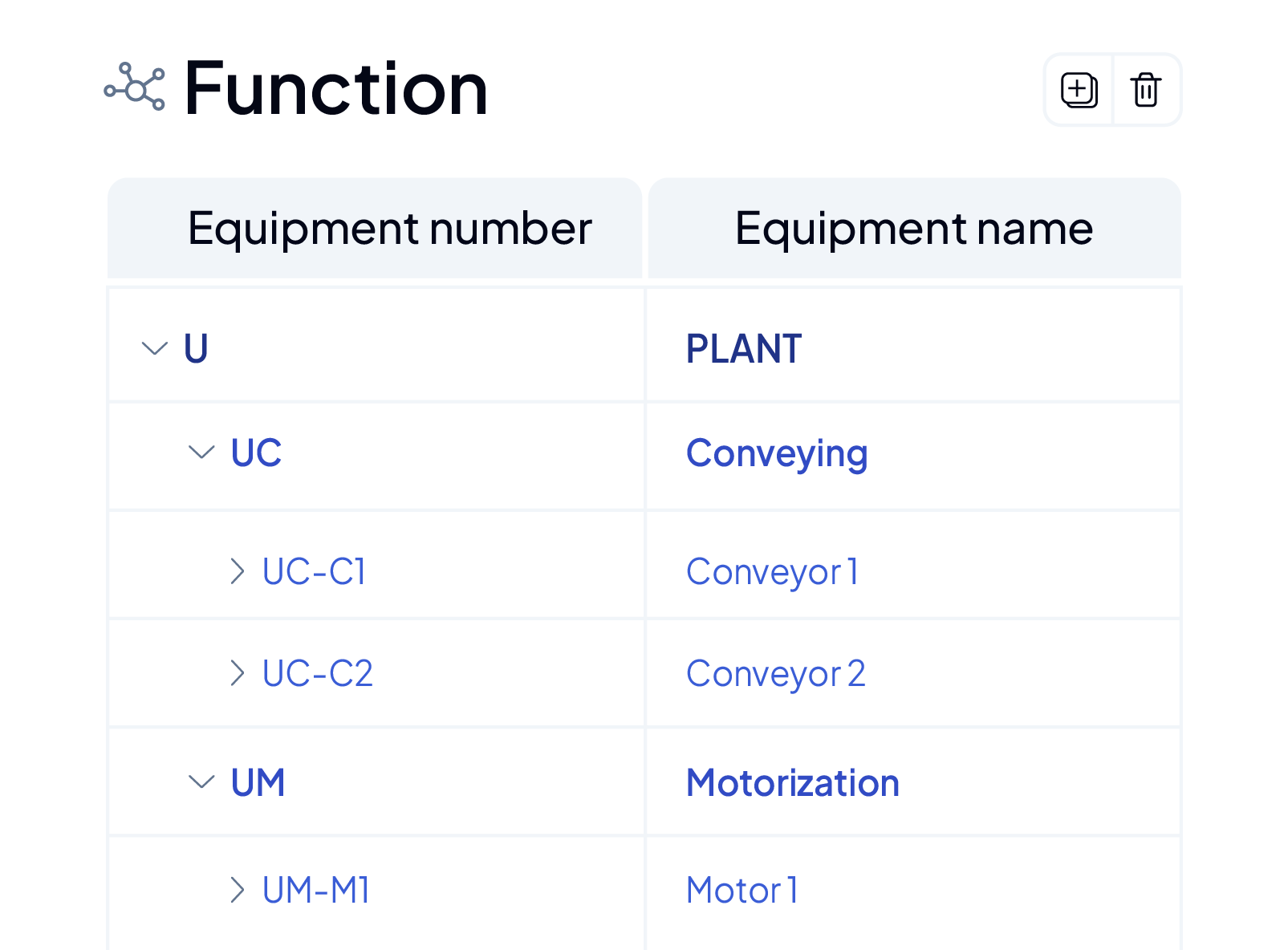
Function-based hierarchy
Group and manage your assets by family or functional role. Create consistent equipment folders, plan your preventive maintenance by asset type, and access relevant information quickly.

Plan, image, and photo hierarchy
Visually navigate your assets, from the multi-site plan down to the spare part. Click on a building to zoom into its spaces, then to the installed equipment, all the way to the exploded view of each machine. From any level, access the equipment record, parts list, an intervention request, a work order, or a report.

Connect your existing tools to your CMMS
Connect your existing ERPs and tools to AQ Manager via an API and let the hierarchies link everything together. Every alert, every cost, and every parts consumption is automatically assigned to the appropriate asset.