


Maintenance Work Order: Zero Loss, 100% Visibility
From initial request to closure, maintain full visibility over every intervention to be carried out on your equipment, buildings, and sites with our maintenance management software (CMMS).












Why Choose Our CMMS for Your Work Order Management?
Less paper, fewer errors, more work orders processed thanks to our 100% customizable software solution.
Create and Close Work Orders in a Few Clicks
The CMMS allows you to automatically create, assign, and close a work order, eliminating paper forms, scattered emails, and Excel spreadsheets.
Automatic Planning and Technician Assignment
Visualize the workload of each technician in real-time and assign WOs based on skills, the availability of equipment and parts in stock, as well as intervention priority.
Preventive Maintenance Automation
Automatically generate recurring WOs according to defined frequencies (days, operating hours, etc.), and reduce breakdowns and unplanned downtime.
Complete Traceability and Regulatory Compliance
Our CMMS automatically timestamps each action on a WO: creation, modification, validation, and closure. Photos, reports, comments, and signatures provide reliable proof of intervention, essential for your quality, safety, and regulatory audits.
How Do Work Orders Function in Our CMMS?


Create Manual or Automatic Work Orders
Break down each work order into tasks with operating procedures, resources, and spare parts associated. Generated manually or automatically from a validated intervention request or a preventive and conditional maintenance schedule.

Configure Your Custom Validation Circuits
Each WO follows a dedicated workflow with configurable validation steps and automatic email notifications for each status change (e.g., in progress, planned, completed).
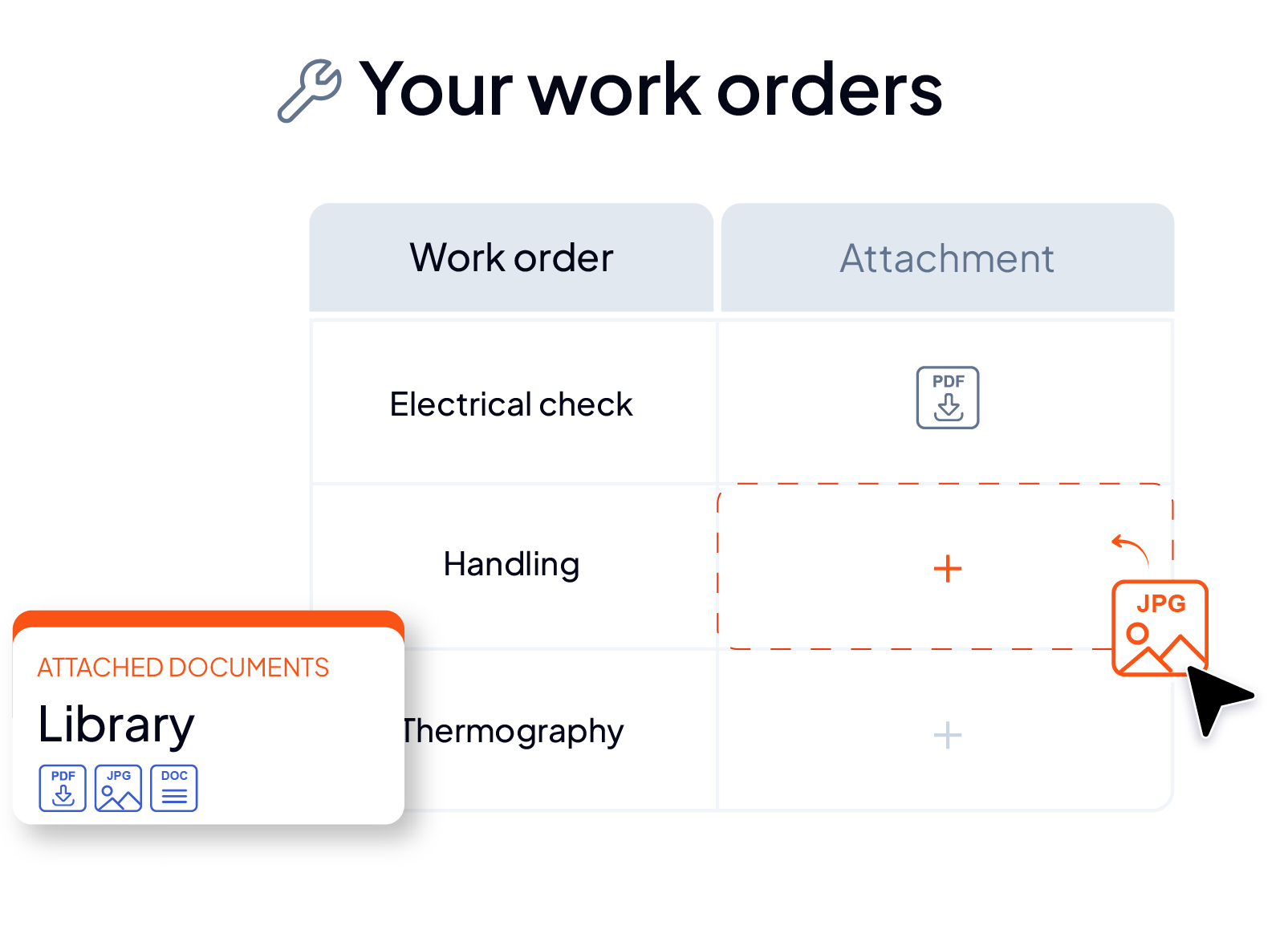
Centralize Photos and Attachments, Consult Manuals and Diagrams
Associate photos and attachments with each intervention directly on each WO, and consult manuals and diagrams. All useful information is centralized in one place.
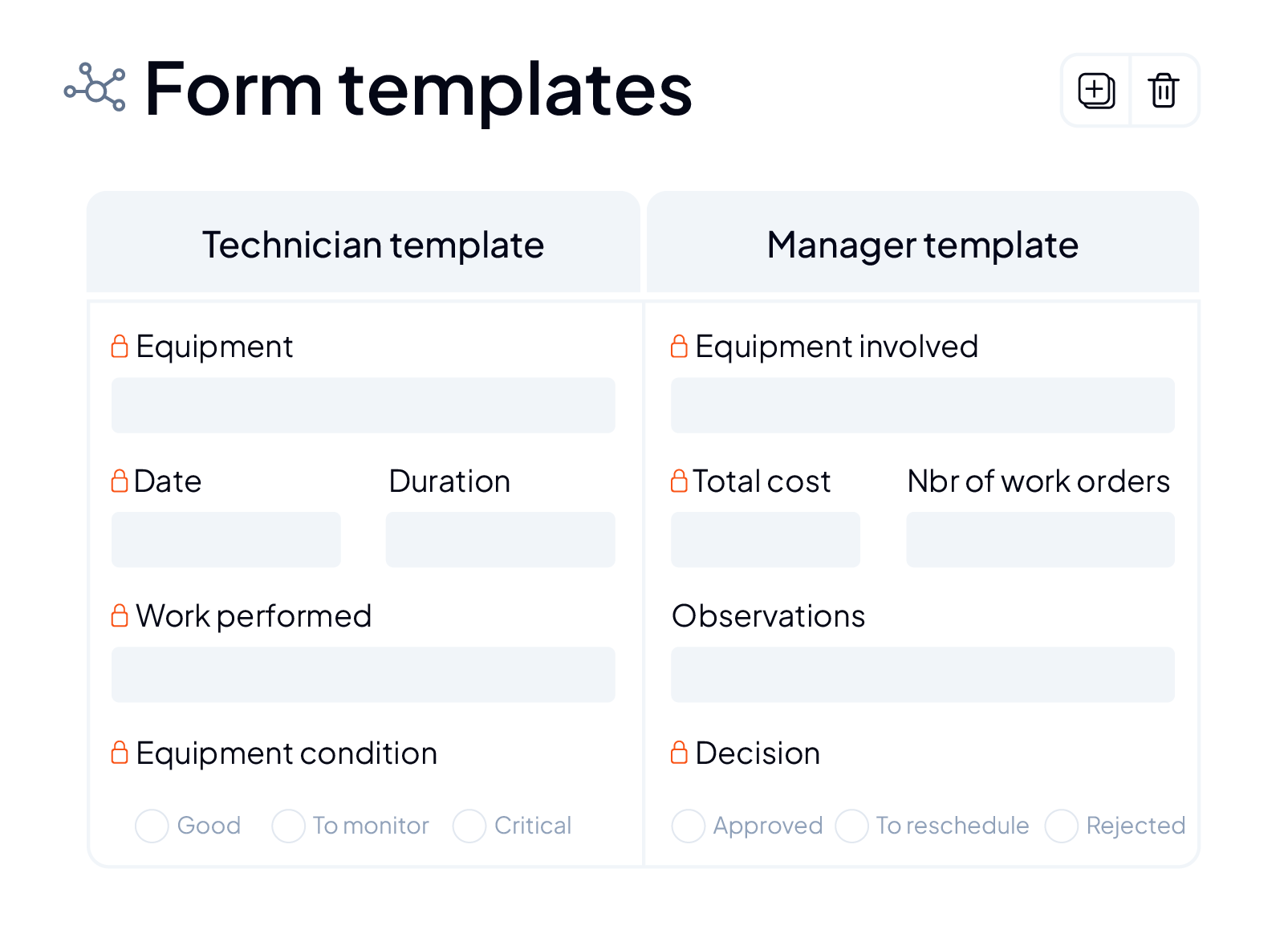
Standardize Your Fields and Templates
Use consistent formats for task descriptions, asset tags, and technician notes so that everyone can read and act quickly.



They chose AQ Manager CMMS






Schedule a Demo Now!

Discover our dedicated webinar
Benefit from the advice of our experts.

Discover all the features of our CMMS to optimize your maintenance

Need more information?

Frequently asked questions
Maintenance management software, also known as CMMS (Computerized Maintenance Management System), allows you to centralize all maintenance data, equipment, and operations within a single tool.
Its advantages are numerous: it facilitates intervention planning, asset tracking, spare parts inventory management, traceability of actions performed, and maintenance performance monitoring.
Accessible both in the office and in the field via the mobile app, it provides your teams of technicians and managers with the information they need to organize, execute, and monitor their activities more efficiently.