17.
CMMS functionality: Dynamic indicators and dashboards
Follow your statistical indicators and your activity with our AQ Manager Dashboard module!
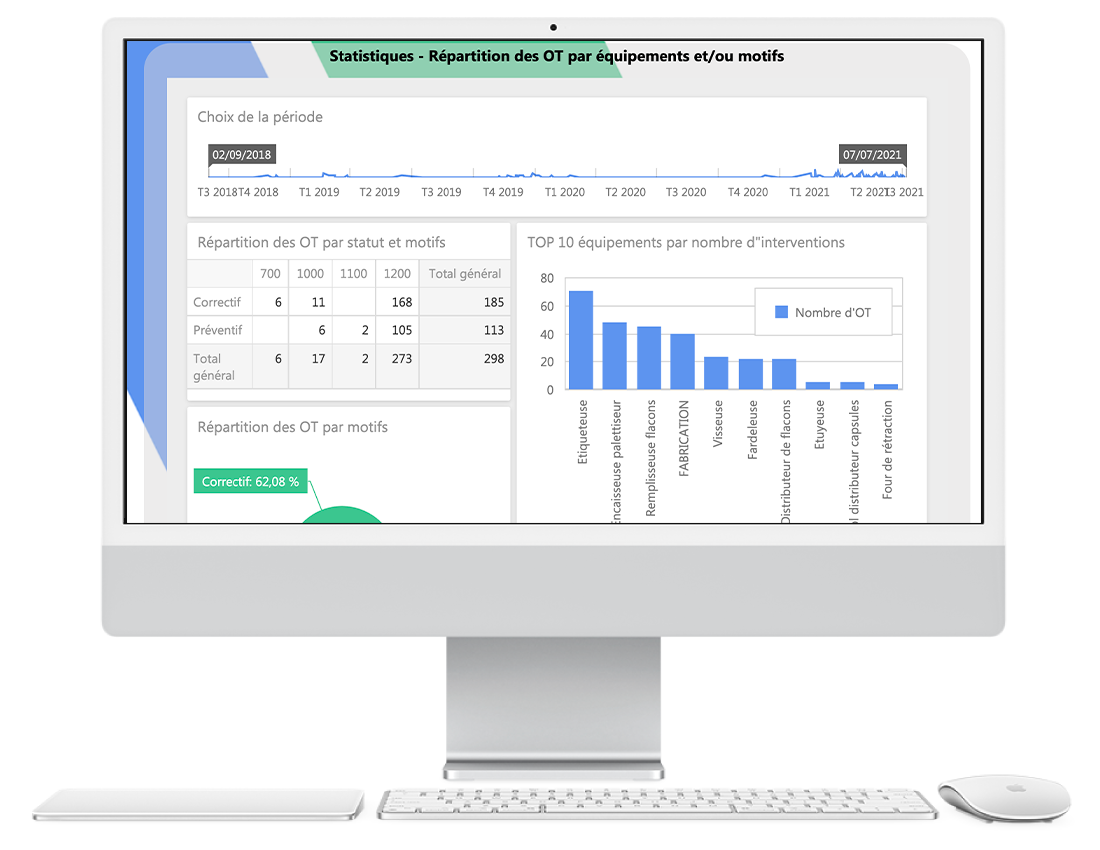
AQ Manager Dashboard is a dynamic dashboard generator integrated in our full web application. This functionality gives you the freedom to consult our pre-configured indicators. But also to easily create your own statistical library.
Our module allows you to create an unlimited number of dashboards grouping your indicators, statistics and custom KPIs. You can assemble graphical indicators, pivot tables, data lists, etc. on each page.
In addition, our tables include a dynamic detailed consultation of statistical data. This allows you to consult more precise information by simply clicking on an area of an indicator.
For example: click on a branch of a histogram and display another one with a detailed view
Our AQ Manager Dashboard module can also connect to external data sources such as your ERP, BMS, BMS, etc.

Discover the features of our module in the video opposite.
Our tool is open to other databases, so you can create dashboards on data outside our AQ Manager CMMS Full Web application.
Thanks to our advanced rights management, you can also define which users within your company can view, modify or delete each of your dynamic dashboards.
As our AQ Manager solution is a 100% web-based application, you can easily share your dashboards with others through a simple web browser.
You can even subscribe to receive these dashboards or send them to other users automatically by e-mail at regular intervals (e.g. the 1st of each month)!
Do you have any questions about our CMMS? Contact us!
Our teams will be happy to discuss your needs and projects with you.
Discover all our other features
Customer invoicing
and payments 05.
Subcontractors
and maintenance
contracts 04.
Preventive
measures and
regulatory controls
03.
Tree structures
(location, network
and function)
02.
Equipment
and asset
management 01.
Quotes and
customer orders
06.
Condition
monitoring 4.0 07.
Requests for
intervention 08.
Workflows
and e-mails 09.
Planning of works,
equipment and
participants
10.
Online
mapping
for planning 11.
Work
orders 12.
Technicians’
intervention reports 13.
The AQ
Manager Mobile
application 14.
Spare parts
stocks 15.
Barcode and
QR code label
scanning 16.
Supplier
purchases 17.
Dynamic
indicators and
dashboards


Discover all our other features
Customer testimonials
Safeguarding the success of your project!
video testimonials
Customer testimonials
Safeguarding the success of your project!
video testimonials


Over 1400 sites installed in no less than 35 countries